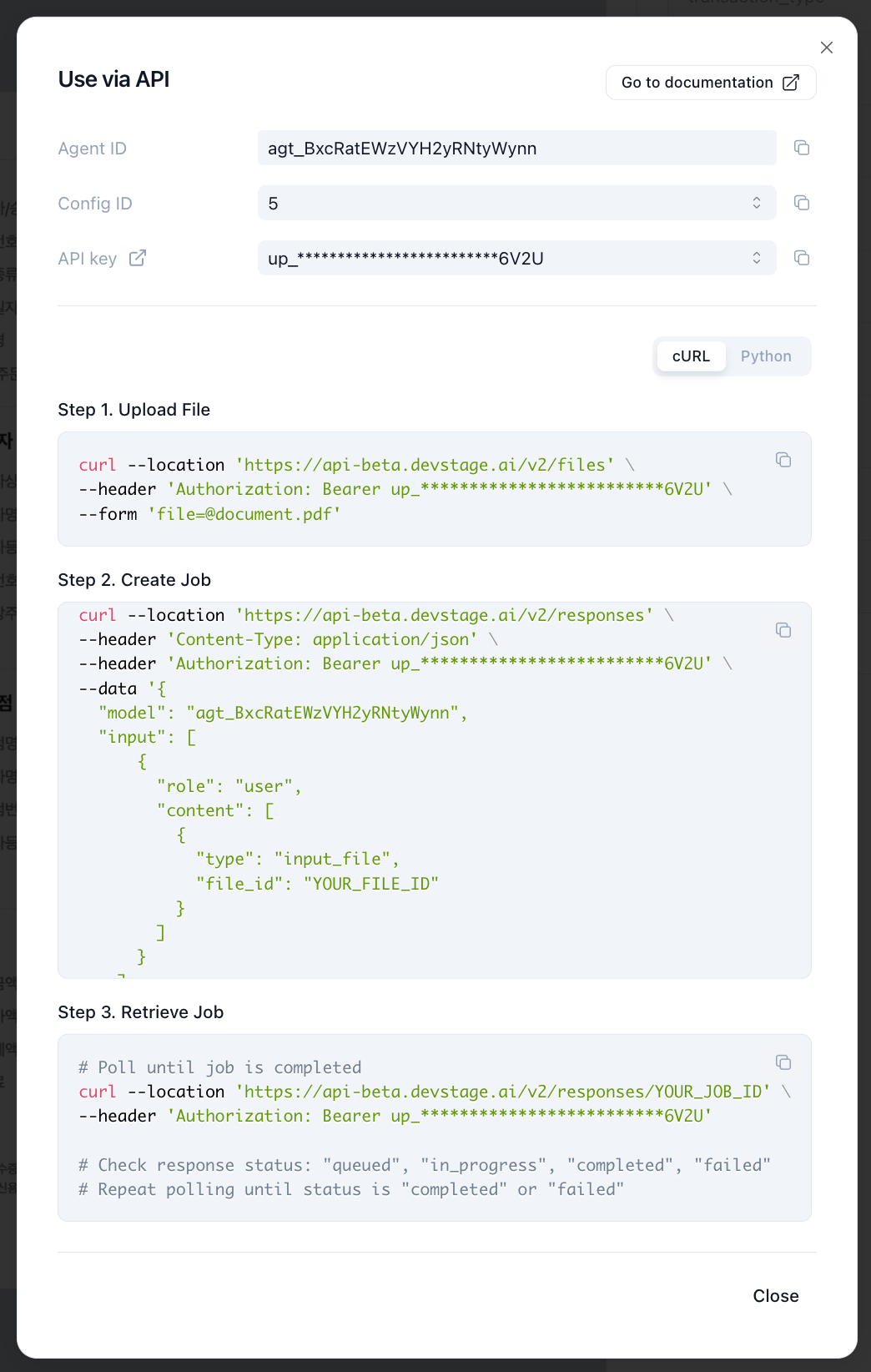
This guide will walk you through the process of using the Upstage Agents API to process a document.
Agents are reusable, multi-step workflows such as Parse, Classify, and Extract, designed to run complex document processing tasks without rebuilding the pipeline for each request. They allow you to define and reuse workflows tailored to your specific document processing needs.
An Upstage API Key . (check Getting Started
An Agent ID (obtained from the Upstage Studio, as described below ).
A document file (e.g., document.pdf).
Open Upstage Studio
Configure the Agent (model, instructions, and tools) and click Save .
Copy the Agent ID (e.g., agt_BxcRatEWzVYH2yRNtyWynn) from the Code panel.
First, upload the file you want the agent to process. For more details, check Files API
Request
Python cURL
from openai import OpenAI client = OpenAI( api_key = "UPSTAGE_API_KEY" , base_url = "https://api.upstage.ai/v2" ) file_path = "document.pdf" # Replace with your own file with open (file_path, "rb" ) as f: file = client.files.create( file = f, purpose = "user_data" ) print ( file .model_dump())
Save the id from the response (e.g., file-abc123).
Create a response (job) using the Agent ID and the File ID from the previous step.
Request
Python cURL
from openai import OpenAI from time import sleep import json client = OpenAI( api_key = "UPSTAGE_API_KEY" , base_url = "https://api.upstage.ai/v2" ) # Supports multiple files input_files = [ { "type" : "input_file" , "file_id" : "file-abc123" } ] input = [ { "role" : "user" , "content" : [ * input_files ] } ] # Create a job resp = client.responses.create( model = "agt_BxcRatEWzVYH2yRNtyWynn" , include = [ "last" ], input = input , ) # Poll until the job is no longer queued or in progress while resp.status in { "queued" , "in_progress" }: sleep( 2 ) resp = client.responses.retrieve( resp.id, include = [ "last" ] ) # When completed, read the final output text if resp.status == "completed" : print (json.loads(resp.output_text))
If you are using the OpenAI SDK and include=["last"], you can read the final result easily with response.output_text. Check Jobs API
All Jobs API requests run asynchronously and return a job ID immediately. Check Jobs API
Response
{ "id" : "job_7yMqwGy3rfh6Pwo7MdseMo" , "object" : "response" , "created_at" : 1767613535 , "status" : "completed" , "background" : true , "error" : null , "incomplete_details" : null , "instructions" : null , "max_output_tokens" : null , "model" : "agt_BxcRatEWzVYH2yRNtyWynn" , "output" : [ { "id" : "fb543069-1a45-4fde-94de-2383995d7339" , "type" : "message" , "status" : "completed" , "role" : "assistant" , "model" : "step_2_extract" , "content" : [ { "type" : "output_text" , "text" : "{ \" key \" : \" value \" , \" group_key \" : [{ \" properties \" : \" properties_value \" }]}" , "annotations" : [], "additional_values" : "{...}" } ] } ], "usage" : { "input_tokens" : 0 , "output_tokens" : 0 , "total_tokens" : 0 } }