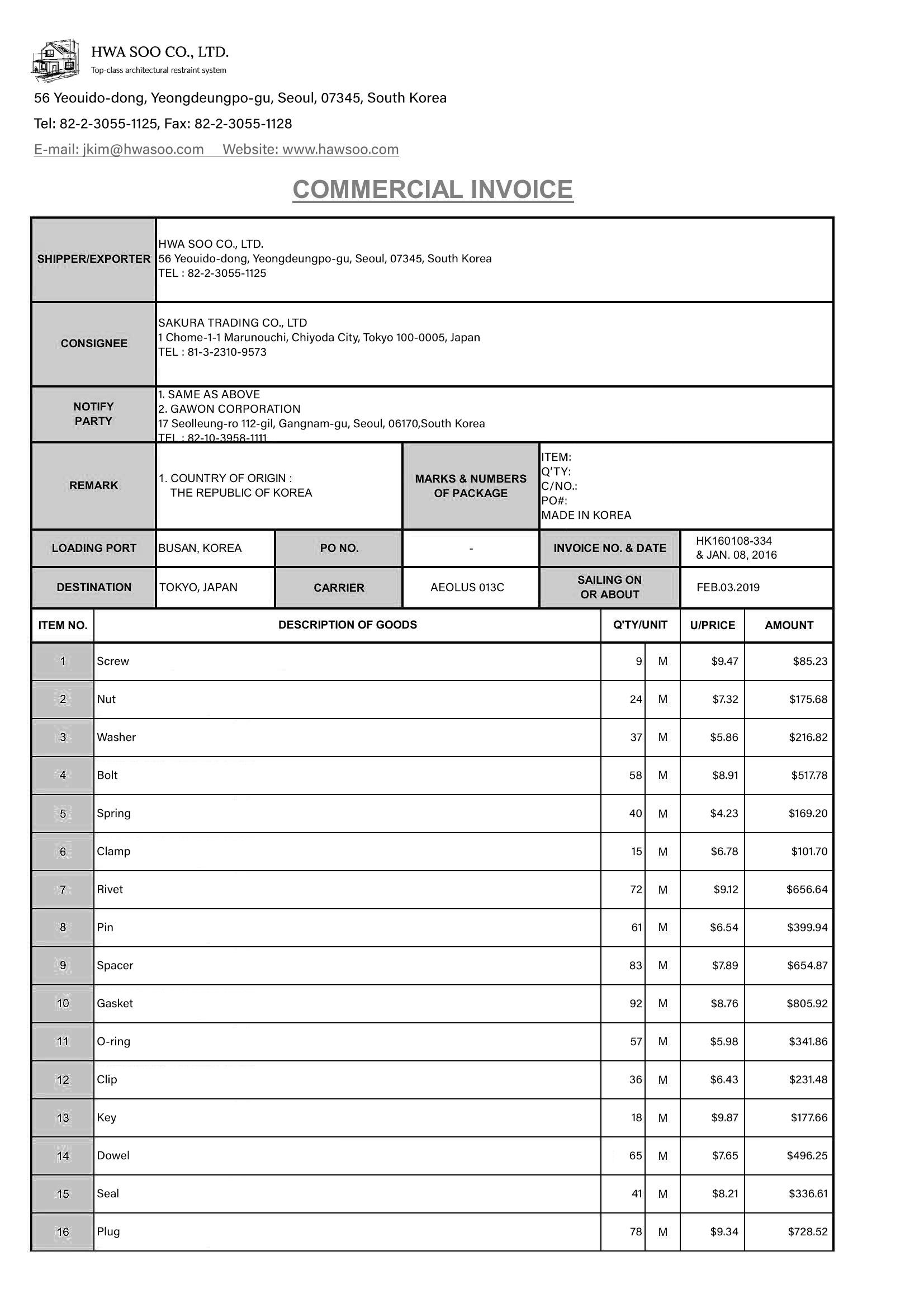
이 문서는 영어 원문을 자동 번역한 것으로, 내용이 원문과 다를 수 있습니다. 영어 원문 보기 문서 분류는 입력 문서를 사용자가 정의한 카테고리 중 하나로 분류해요. 스캔 이미지, 사진, 그리고 디지털 PDF에서 모두 동작하며, 템플릿이나 파인튜닝이 필요하지 않아요.
문서 분류는 문서 처리 파이프라인을 자동화하는 강력한 도구예요.
예를 들어, 사용자가 다양한 문서들과 여러 가지 추출 작업을 가지고 있을 때, 문서 분류를 사용해 문서를 서로 다른 유형으로 분류할 수 있어요.
그런 다음, 문서 유형을 해당 추출 작업에 적합한 스키마에 매핑하여 Information Extract 를 사용할 수 있어요.
모든 문서 : 스캔본, 사진, 디지털 문서에서 안정적으로 동작유연한 분류 체계 : 도메인에 맞게 레이블을 자유롭게 정의하고 업데이트파인튜닝 불필요 : 템플릿/학습 없이 즉시 배포하여 운영 비용 절감일관된 운영 : 문서 라우팅과 자동화 분기에 바로 사용 가능
단일 파일을 입력할 수 있으며, messages 필드에 URL 또는 base64로 인코딩된 문자열 형식으로 다음과 같이 제공해주세요.
{ "type" : "image_url" , "image_url" : { "url" : f "data:application/octet-stream;base64,{base64_data}" } } 입력 파일 요구 사항은 다음과 같아요.
지원 파일 형식: JPEG, PNG, BMP, PDF, TIFF, HEIC, DOCX, PPTX, XLSX, HWP, HWPX최대 파일 크기: 50MB파일당 최대 페이지 수: 100 페이지페이지당 최대 픽셀 수: 200,000,000 픽셀. (이미지가 아닌 파일의 경우, 파일을 150 DPI 이미지로 변환한 후 픽셀 수가 결정돼요.) 클래스 설명은 분류할 문서 유형을 정의해요. response_format 필드에 제공할 수 있어요.
{ "type" : "json_schema" , "json_schema" : { "name" : "document-classify" , "schema" : { "type" : "string" , "oneOf" : [ { "const" : "invoice" , "description" : "Commercial invoice with itemized charges and billing information" }, { "const" : "receipt" , "description" : "Receipt showing purchase transaction details" }, { "const" : "contract" , "description" : "Legal agreement or contract document" }, { "const" : "cv" , "description" : "Curriculum vitae or resume" }, { "const" : "others" , "description" : "Other" } ] } } }
const : 모델이 반환해야 하는 정확한 레이블 문자열이에요. 짧고 일관되게 유지해주세요(예: invoice, receipt).description : 각 레이블을 명확히 설명하는 자연어 문장이에요. 레이블 간의 모호함을 없애고, 도움이 된다면 정확도 향상을 위해 간단한 포함/제외 예시를 함께 작성해주세요. 응답 구조는 OpenAI Chat Completion Object 를 따릅니다.
분류 결과는 채팅 컴플리션 메시지의 content에 들어 있어요.
result = response.choices[ 0 ].message.content print (result) 이후 사용자는 이 결과를 자신의 작업에 활용할 수 있어요. 예를 들어, 적절한 추출 작업으로 문서를 라우팅하는 데 사용할 수 있어요.
분류 정확도를 높이기 위해 레이블과 설명을 설계할 때 다음 권장 사항을 참고해주세요.
명확한 레이블 이름 : 구체적이고 서로 겹치지 않는 이름을 사용해주세요(예: invoice, receipt, contract).차별화된 설명 : 핵심 기준을 1~2 문장으로 기술하고, 경계 사례에 대한 판단 규칙을 추가해주세요.예시 활용(선택) : 간단한 포함/제외 예시는 모호한 경우에 도움이 돼요.레이블 개수 관리 : 레이블이 너무 많으면 모델에 혼란을 줄 수 있어요. 핵심 레이블부터 시작하여 점진적으로 확장해주세요.일관된 형식 : 레이블의 대소문자와 구분자(소문자, 하이픈/언더스코어)를 일관되게 유지해주세요.
예시:
{ "type" : "json_schema" , "json_schema" : { "name" : "document-classify" , "schema" : { "type" : "string" , "oneOf" : [ { "const" : "invoice" , "description" : "Business invoice with seller/buyer info and itemized amounts" }, { "const" : "receipt" , "description" : "Retail receipt with payment method/change and simple item list" }, { "const" : "contract" , "description" : "Legal document with parties, clauses, and signatures/stamps" }, { "const" : "cv" , "description" : "Curriculum vitae or resume summarizing work history and skills" }, { "const" : "others" , "description" : "Documents not covered by the above labels" } ] } } }
클래스의 개수는 최대 1000개까지 가질 수 있어요.
클래스의 개수는 최소 1개 이상이어야 합니다.
이름이 중복되는 클래스는 무시돼요.
모델은 가장 높은 점수의 클래스를 반환해요.
점수는 0과 1 사이의 값이며, 1이 가장 높은 점수예요.
additional_values 도구 호출을 사용해 클래스의 점수를 가져올 수 있어요.
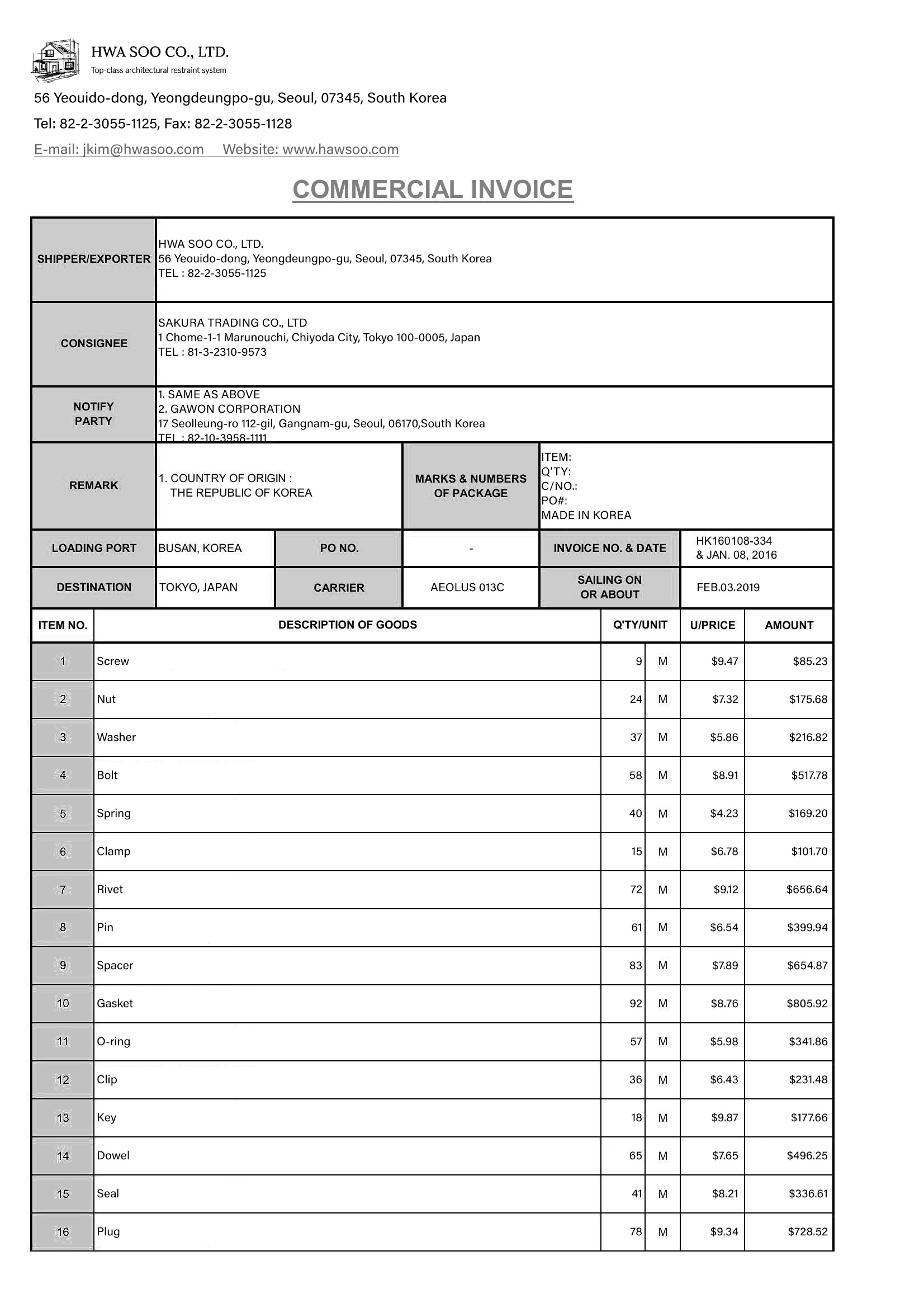
score_dict = response.choices[ 0 ].message.tool_calls[ 0 ].function.arguments print (score_dict) { "document_type" : { "_value" : "invoice" , "confidence_score" : 1.0 }} commercial-invoice.jpg
요청
Python cURL Node.js
# pip install openai import base64 import json from openai import OpenAI client = OpenAI( api_key = "UPSTAGE_API_KEY" , base_url = "https://api.upstage.ai/v1/document-classification" ) def encode_img_to_base64 (img_path): with open (img_path, 'rb' ) as img_file: img_bytes = img_file.read() base64_data = base64.b64encode(img_bytes).decode( 'utf-8' ) return base64_data filepath = "./your_document.png" base64_data = encode_img_to_base64(filepath) response = client.chat.completions.create( model = "document-classify" , messages = [ { "role" : "user" , "content" : [ { "type" : "image_url" , "image_url" : { "url" : f "data:application/octet-stream;base64, { base64_data } " } } ] } ], response_format = { "type" : "json_schema" , "json_schema" : { "name" : "document-classify" , "schema" : { "type" : "string" , "oneOf" : [ { "const" : "invoice" , "description" : "Commercial invoice with itemized charges and billing information" }, { "const" : "receipt" , "description" : "Receipt showing purchase transaction details" }, { "const" : "contract" , "description" : "Legal agreement or contract document" }, { "const" : "cv" , "description" : "Curriculum vitae or resume" }, { "const" : "others" , "description" : "Other" } ] } } } ) print (response)
응답
{ "id" : "8f111e4201de097efa38d4a4d174c001" , "choices" : [ { "finish_reason" : "stop" , "index" : 0 , "logprobs" : None , "message" : { "content" : "invoice" , "refusal" : None , "role" : "assistant" , "annotations" : None , "audio" : None , "function_call" : None , "tool_calls" : [{ "id" : None , "function" : { "arguments" : { "document_type" : { "_value" : "invoice" , "confidence_score" : 1.0 }}, "name" : "additional_values" }, "type" : "function" }] } } ], "created" : 1756270462 , "model" : "document-classify-261113" , "object" : None , "service_tier" : None , "system_fingerprint" : None , "usage" : { "completion_tokens" : 6 , "prompt_tokens" : 1765 , "total_tokens" : 1771 , "completion_tokens_details" : None , "prompt_tokens_details" : None } }